Artificial intelligence has revolutionized how we work, create, and solve problems. Fortunately, you don’t need a massive budget to access powerful AI tools. Many excellent options are available completely free.
In this comprehensive guide, you’ll discover the best free AI tools for 2026. Moreover, you’ll learn how to leverage these tools for writing, design, coding, and productivity. Let’s explore these game-changing resources!
What Are AI Tools and Why Use Them?
AI tools are software applications powered by artificial intelligence technology. They help automate tasks, generate content, and solve complex problems. Consequently, they save time and boost productivity significantly.
These tools use machine learning algorithms to understand patterns and make decisions. Furthermore, they continuously improve through user interactions. Therefore, AI tools become smarter over time.
Using AI tools offers numerous advantages for individuals and businesses. First, they automate repetitive tasks efficiently. Additionally, they provide creative solutions you might not consider otherwise. Plus, most tools require minimal technical expertise.
Benefits of Using Free AI Tools
Free AI tools democratize access to advanced technology. Previously, only large corporations could afford these capabilities. However, today anyone can leverage AI power without cost.
Moreover, free tools allow you to experiment without financial risk. You can test different solutions before committing to paid subscriptions. Consequently, you make more informed decisions about which tools suit your needs.
Additionally, many free AI tools offer generous usage limits. For instance, you might get thousands of words or images monthly. Therefore, casual users find free tiers completely sufficient.
Furthermore, these tools help level the playing field for small businesses. They can compete with larger companies using the same AI technology. Meanwhile, they’re maintaining lean budgets and maximizing resources.
Best Free AI Tools for Content Writing
Content creation demands significant time and effort. Fortunately, AI writing tools streamline this process dramatically. Let’s explore the top options available today.
1. ChatGPT (OpenAI)
ChatGPT remains the most popular free AI writing tool globally. It handles everything from blog posts to technical documentation. Moreover, its conversational interface makes it incredibly user-friendly.
Key Features: ChatGPT generates human-like text across various topics and styles. Additionally, it answers questions, writes code, and creates creative content. The free tier provides substantial daily usage limits.
Best Use Cases: This tool excels at brainstorming ideas and drafting content quickly. Similarly, it helps overcome writer’s block effectively. Furthermore, it’s perfect for creating outlines and summaries.
Limitations: However, the free version has lower priority during high-traffic periods. Also, responses might occasionally contain outdated information. Therefore, always verify important facts independently.
Visit OpenAI’s official website to start using ChatGPT for free today.
2. Google Gemini
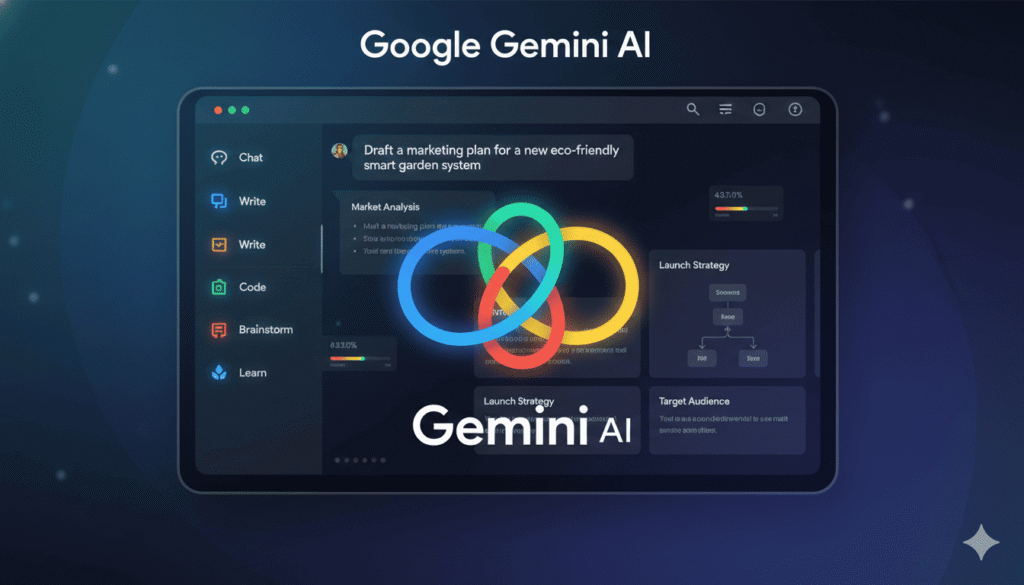
Google Gemini offers powerful AI capabilities with impressive integration features. It connects seamlessly with other Google services. Consequently, it enhances your entire workflow efficiently.
Key Features: Gemini provides multimodal AI that understands text, images, and more. Additionally, it offers real-time information through Google Search integration. The free tier includes generous usage limits.
Best Use Cases: Use Gemini for research-intensive writing projects that need current information. Similarly, it works excellently for data analysis and summarization tasks. Moreover, it handles multiple languages proficiently.
Limitations: Nevertheless, Gemini sometimes provides overly detailed responses that need editing. Also, creative writing might feel less natural compared to alternatives. However, factual accuracy remains its strong point.
Check out Google Gemini’s official page to explore its free AI capabilities.
3. Claude (Anthropic)
Claude stands out for its nuanced understanding and helpful responses. It prioritizes accuracy and safety in every interaction. Furthermore, its writing style feels remarkably natural and conversational.
Key Features: Claude handles long documents exceptionally well with large context windows. Additionally, it excels at analysis, summarization, and creative writing. The free tier offers competitive daily limits.
Best Use Cases: This tool shines when analyzing complex documents or research papers. Similarly, it’s excellent for thoughtful, nuanced content creation. Moreover, it handles technical writing with impressive accuracy.
Limitations: However, Claude may be more conservative in responses than other tools. Also, it prioritizes accuracy over speed sometimes. Nevertheless, quality remains consistently high.
Visit Anthropic’s website to try Claude’s free AI assistant features.

Best Free AI Tools for Design and Images
Visual content creation has been transformed by AI technology. These tools help anyone create professional designs without extensive experience.
4. Canva AI (Magic Design)
Canva revolutionized graphic design accessibility for everyone. Now, their AI features make design even easier. Consequently, you can create stunning visuals in minutes.
Key Features: Canva AI generates complete designs from text descriptions instantly. Additionally, it offers background removal, image enhancement, and smart resizing. The free plan includes limited AI credits monthly.
Best Use Cases: Use Canva AI for social media graphics, presentations, and marketing materials. Similarly, it excels at creating consistent brand visuals quickly. Moreover, templates provide excellent starting points.
Limitations: However, free users receive limited AI generation credits each month. Also, some premium templates and elements require paid subscriptions. Nevertheless, the free tier remains incredibly valuable.
Explore Canva’s official website to start designing with AI assistance today.

5. Microsoft Designer
Microsoft Designer brings professional design capabilities to everyone for free. It leverages powerful AI to create customized graphics effortlessly. Furthermore, integration with Microsoft products enhances productivity.
Key Features: Designer generates unique images from text prompts using advanced AI. Additionally, it creates complete design layouts with multiple variations. The free tier offers generous daily generation limits.
Best Use Cases: This tool works perfectly for business presentations and social media content. Similarly, it’s excellent for creating event invitations and promotional materials. Moreover, it handles branding projects effectively.
Limitations: Nevertheless, style options are somewhat limited compared to specialized tools. Also, advanced editing requires additional software. However, output quality remains consistently impressive.
Visit Microsoft Designer’s website to create AI-powered designs for free.

6. Leonardo AI
Leonardo AI specializes in generating stunning visual content with remarkable detail. It offers powerful features typically found in premium tools. Consequently, artists and designers love its capabilities.
Key Features: Leonardo creates high-quality images with extensive customization options available. Additionally, it offers multiple AI models for different artistic styles. The free plan includes daily token credits.
Best Use Cases: Use Leonardo for concept art, illustrations, and creative projects. Similarly, it excels at generating game assets and character designs. Moreover, it handles photorealistic renders impressively.
Limitations: However, the interface has a steeper learning curve than simpler tools. Also, free credits regenerate daily but might run out quickly. Nevertheless, quality justifies the effort.
Check Leonardo AI’s official platform to generate professional images for free.

Best Free AI Tools for Coding and Development
AI has transformed software development with intelligent code assistance tools. These resources help developers write better code faster and more efficiently.
7. GitHub Copilot (Free for Students)
GitHub Copilot represents one of the most advanced AI coding assistants available. It suggests entire functions and code blocks based on context. Moreover, it supports dozens of programming languages effectively.
Key Features: Copilot provides intelligent code completion and suggestions in real-time. Additionally, it generates documentation and explains complex code sections. Students and educators get free access through GitHub Education.
Best Use Cases: This tool excels at accelerating routine coding tasks and boilerplate code. Similarly, it helps learn new programming languages faster. Furthermore, it’s excellent for exploring different solution approaches.
Limitations: However, free access requires verified student or educator status. Also, suggestions sometimes need review and modification. Therefore, understanding code fundamentals remains essential.
Visit GitHub Copilot’s page to learn about free access for students.

8. Tabnine
Tabnine offers impressive AI code completion across multiple development environments. It learns from your coding patterns over time. Consequently, suggestions become increasingly personalized and accurate.
Key Features: Tabnine provides context-aware code completions that understand your project structure. Additionally, it works with popular IDEs and code editors seamlessly. The free tier includes basic AI features.
Best Use Cases: Use Tabnine for general programming tasks and rapid prototyping. Similarly, it helps maintain consistent coding styles across projects. Moreover, it speeds up repetitive coding tasks significantly.
Limitations: Nevertheless, advanced features require premium subscriptions for full functionality. Also, team collaboration features aren’t available on free plans. However, individual developers find it quite sufficient.
Explore Tabnine’s official website to download this free AI code assistant.

Best Free AI Tools for Productivity
Productivity tools powered by AI help manage tasks, schedule meetings, and organize information. These solutions save hours of manual work each week.
9. Notion AI
Notion AI integrates powerful artificial intelligence into the popular workspace platform. It helps with writing, brainstorming, and organizing information seamlessly. Furthermore, it enhances your entire productivity workflow.
Key Features: Notion AI generates summaries, action items, and content drafts instantly. Additionally, it translates text and improves writing quality automatically. Free trials offer substantial usage before requiring payment.
Best Use Cases: This tool shines for note-taking, meeting summaries, and project documentation. Similarly, it excels at organizing research and creating knowledge bases. Moreover, it streamlines team collaboration effectively.
Limitations: However, full AI features require paid subscriptions after trial periods. Also, occasional responses need fact-checking for accuracy. Nevertheless, integration with Notion makes it incredibly valuable.
Visit Notion’s official site to try their AI-powered workspace features.

10. Grammarly Free
Grammarly uses AI to improve writing quality across all your applications. It catches grammar mistakes, spelling errors, and style issues instantly. Consequently, your communication becomes clearer and more professional.
Key Features: Grammarly provides real-time grammar and spelling corrections everywhere you write. Additionally, it offers tone detection and clarity suggestions. The free version covers essential writing needs effectively.
Best Use Cases: Use Grammarly for emails, documents, and social media posts daily. Similarly, it helps non-native English speakers improve their writing. Moreover, it works across browsers, apps, and devices.
Limitations: Nevertheless, advanced features like plagiarism detection require premium subscriptions. Also, some style suggestions only appear in paid versions. However, free features handle most everyday needs.
Check Grammarly’s website to install this free AI writing assistant.

Best Free AI Tools for Video and Audio
Creating and editing multimedia content becomes much easier with AI assistance. These tools handle complex tasks that previously required expensive software.
11. Descript Free Plan
Descript revolutionizes video and podcast editing with AI-powered features. You can edit audio by editing text transcripts. Moreover, it offers voice cloning and background removal capabilities.
Key Features: Descript automatically transcribes audio and video with impressive accuracy. Additionally, it removes filler words and background noise intelligently. The free plan includes limited monthly processing time.
Best Use Cases: This tool excels for podcasters, video creators, and content producers. Similarly, it streamlines interview transcription and editing workflows. Furthermore, it handles screen recording and presentation creation.
Limitations: However, free users get limited transcription hours each month. Also, advanced features require upgrading to paid tiers. Nevertheless, beginners find free limits quite adequate.
Visit Descript’s official platform to start editing with AI assistance.

12. Runway ML (Free Tier)
Runway ML brings professional video editing capabilities to everyone through AI. It offers cutting-edge features like video generation and background replacement. Consequently, creative possibilities expand dramatically.
Key Features: Runway provides AI-powered video effects, object removal, and style transfer. Additionally, it generates videos from text descriptions using advanced models. Free credits allow experimentation with premium features.
Best Use Cases: Use Runway for creative video projects and visual effects work. Similarly, it’s perfect for social media content and advertising materials. Moreover, it handles color grading and enhancement tasks.
Limitations: Nevertheless, free credits are limited and regenerate slowly over time. Also, export resolution might be restricted on free accounts. However, quality remains exceptional for experimentation.
Explore Runway ML’s website to access free AI video editing tools.

How to Choose the Right AI Tool
Selecting appropriate AI tools depends on your specific needs and goals. Consider these factors when making your decision carefully.
First, identify your primary use case and requirements clearly. Different tools excel at different tasks and applications. Therefore, match features to your actual workflow needs.
Additionally, evaluate the free tier limitations and usage restrictions. Some tools offer generous free plans while others are quite limited. Consequently, understand what you can accomplish without upgrading.
Furthermore, consider the learning curve and ease of use. Some AI tools require significant time to master effectively. Meanwhile, others work intuitively right from the start.
Moreover, check integration capabilities with your existing tools and platforms. Seamless integration saves time and improves overall productivity significantly. Therefore, compatibility matters more than you might think.
For more guidance on choosing technology solutions, visit our about us page to see how we can help.
Tips for Maximizing Free AI Tools
Getting the most value from free AI tools requires smart strategies. These tips help you work within limitations while maximizing results.
Understand Usage Limits
Most free AI tools have daily or monthly usage caps. Therefore, plan your work around these restrictions strategically. Additionally, track your usage to avoid running out unexpectedly.
Furthermore, some tools reset limits at specific times daily. Consequently, schedule demanding tasks when fresh credits become available. This ensures uninterrupted workflow during critical moments.
Combine Multiple Tools
Don’t rely solely on one AI tool for everything. Instead, use different tools for their respective strengths. For instance, use ChatGPT for writing and Canva for design.
Moreover, combining tools often produces better results than using one alone. Each tool brings unique capabilities to your workflow. Therefore, strategic combinations maximize overall output quality.
Learn Effective Prompting
Quality inputs generate quality outputs with AI tools consistently. Therefore, invest time learning effective prompting techniques. Specifically, be clear, detailed, and provide relevant context.
Additionally, experiment with different phrasings and approaches regularly. Sometimes minor prompt changes produce dramatically different results. Consequently, iteration improves output quality significantly over time.
Stay Updated on New Features
AI tools constantly evolve with new capabilities and improvements. Therefore, follow official blogs and update announcements regularly. Additionally, join user communities to learn tips and tricks.
Furthermore, free tiers sometimes expand with additional features unexpectedly. Consequently, staying informed helps you leverage new opportunities immediately. Meanwhile, you’re maximizing value without additional cost.
Common Mistakes to Avoid
Even experienced users make mistakes when using AI tools. Avoiding these pitfalls ensures better results and smoother experiences.
First, never blindly trust AI-generated content without verification. Always fact-check important information and claims carefully. Moreover, AI tools can hallucinate facts or provide outdated information.
Additionally, don’t ignore terms of service and usage policies. Some tools have restrictions on commercial use of free tiers. Therefore, understand licensing before using AI-generated content professionally.
Furthermore, avoid over-reliance on AI tools for critical thinking. These tools augment human creativity but don’t replace it entirely. Consequently, maintain your unique voice and perspective always.
Moreover, don’t share sensitive or confidential information with AI tools. Privacy policies vary between providers significantly. Therefore, exercise caution with personal or proprietary data.
Future of Free AI Tools
The landscape of free AI tools continues evolving rapidly. Understanding future trends helps you prepare and adapt accordingly.
First, expect more specialized AI tools for niche applications. Rather than general-purpose solutions, tools will target specific industries. Consequently, users will find more tailored solutions available.
Additionally, integration between different AI tools will improve dramatically. Seamless workflows across multiple platforms will become standard. Therefore, productivity gains will continue accelerating over time.
Furthermore, free tiers may become more generous as competition intensifies. Companies want users to experience AI capabilities firsthand. Meanwhile, they’re building larger user bases for future monetization.
Moreover, AI capabilities will expand into new domains regularly. Today’s cutting-edge features become tomorrow’s standard offerings. Consequently, staying informed about developments remains crucial always.
Final Thoughts
Free AI tools have democratized access to powerful technology remarkably. Today, anyone can leverage artificial intelligence regardless of budget constraints. These tools transform how we work, create, and solve problems.
From writing assistance to image generation and code completion, options abound. Moreover, quality continues improving while free tiers remain accessible. Therefore, there’s never been a better time to explore AI.
Remember to start with your specific needs and choose tools accordingly. Additionally, experiment with multiple options before settling on favorites. Furthermore, stay updated as the AI landscape evolves constantly.
Ultimately, AI tools amplify human creativity and productivity when used thoughtfully. They handle repetitive tasks while you focus on strategic thinking. Consequently, you accomplish more while working smarter, not harder.
Ready to explore more technology insights? Contact us for personalized recommendations and support!
Frequently Asked Questions
Are free AI tools really free forever?
Most companies maintain free tiers indefinitely as part of their business model. However, features and limits may change over time. Therefore, always review terms periodically and maintain backups of important work.
Can I use free AI tools for commercial projects?
Commercial usage policies vary significantly between different AI tools and providers. Some allow commercial use on free tiers while others restrict it. Consequently, always read terms of service before using AI-generated content commercially.
How accurate are free AI tools compared to paid versions?
Free AI tools often use the same underlying models as paid versions. However, paid plans typically offer faster responses, priority access, and additional features. Nevertheless, output quality remains comparable for most use cases.
Will AI tools replace human workers completely?
AI tools augment human capabilities rather than replacing them entirely. They handle repetitive tasks while humans provide creativity, judgment, and strategy. Therefore, view AI as a productivity partner, not a replacement.
How do I protect my privacy when using AI tools?
Review privacy policies carefully before using any AI tool regularly. Additionally, avoid sharing sensitive personal or business information unnecessarily. Furthermore, use different accounts for personal and professional work when possible.
Can AI tools help me learn new skills?
Absolutely! AI tools provide excellent learning resources and personalized assistance. For instance, coding assistants help you understand programming concepts better. Similarly, writing tools improve your communication skills over time.
What happens if I exceed free tier limits?
Most tools either stop working until limits reset or prompt upgrading. Some providers offer temporary grace periods before restrictions apply. Therefore, monitor usage closely and plan accordingly to avoid interruptions.
Are there any hidden costs with free AI tools?
True free tiers have no hidden costs beyond clearly stated limitations. However, some trials require payment information and auto-renew into paid subscriptions. Consequently, always read fine print and set calendar reminders carefully.