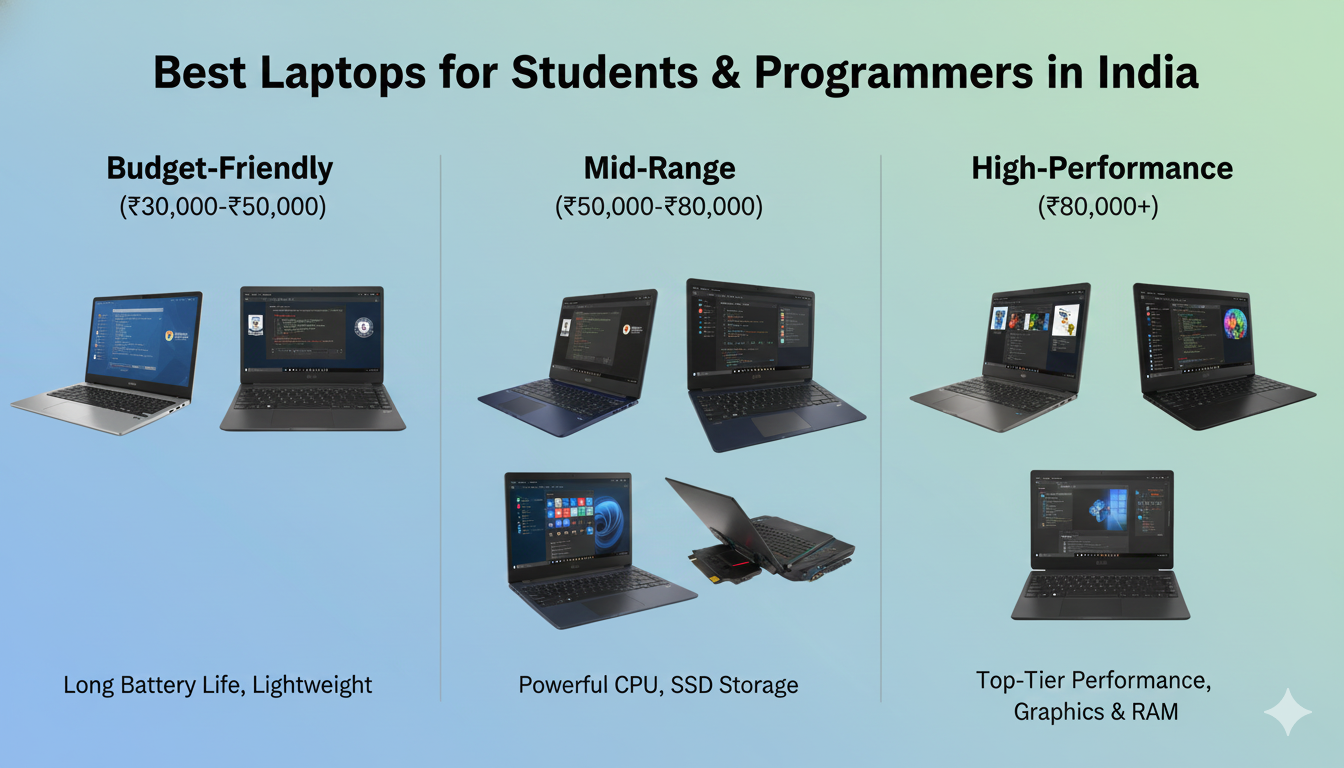
Laptop buying guide for Indian students and programmers requires careful consideration of performance, budget, and future needs. Furthermore, choosing the right laptop can significantly impact your productivity and academic success. Consequently, this comprehensive guide will help you make an informed decision based on your specific requirements and budget constraints.
Understanding Your Laptop Buying Guide Requirements
Before diving into specific models, it’s essential to assess your individual needs. Specifically, students require different specifications compared to programmers who work with resource-intensive applications. Therefore, identifying your primary use case will streamline your decision-making process.
For Students: Essential Features
Students primarily need laptops for research, assignments, and online classes. Moreover, portability and battery life become crucial factors for attending lectures and library sessions. In addition, adequate storage space ensures smooth handling of assignments and project files.
- Processor: Intel Core i3/i5 or AMD Ryzen 3/5 for basic tasks
- RAM: Minimum 8GB for multitasking and browser-heavy work
- Storage: 256GB SSD or higher for fast boot times and file access
- Display: 14-15 inch Full HD screen for comfortable viewing
- Battery Life: 6-8 hours minimum for all-day usage
For Programmers: Performance Priorities
Programmers demand higher processing power for compiling code and running virtual machines. Additionally, comfortable keyboards and superior displays reduce eye strain during long coding sessions. Consequently, investing in better specifications pays off in productivity gains.
- Processor: Intel Core i5/i7 or AMD Ryzen 5/7 for heavy workloads
- RAM: 16GB minimum for IDEs, Docker, and virtual environments
- Storage: 512GB SSD for faster compilation and multiple projects
- Display: Full HD IPS panel with good color accuracy
- Build Quality: Durable construction for longevity
Budget Categories and Best Laptops in India
Indian laptop market offers excellent options across various price points. Furthermore, recent competition has driven prices down while improving specifications. Therefore, understanding what you can get at each budget level helps optimize your investment.
Budget Range: Under ₹40,000
This segment offers entry-level laptops suitable for basic computing tasks. Moreover, these models work well for students with light usage requirements. However, expect compromises in build quality and performance.
| Model | Processor | RAM/Storage | Price |
|---|---|---|---|
| HP 14s | Intel Core i3 12th Gen | 8GB/512GB SSD | ₹38,990 |
| Lenovo IdeaPad Slim 3 | AMD Ryzen 5 5500U | 8GB/512GB SSD | ₹39,990 |
| ASUS Vivobook 15 | Intel Core i3 11th Gen | 8GB/256GB SSD | ₹35,990 |
Mid-Range: ₹40,000 – ₹60,000
This sweet spot offers the best value for most students and entry-level programmers. Additionally, laptops in this range feature solid build quality and reliable performance. Consequently, this category represents the most popular choice among buyers.
💡 Pro Tip: Mid-range laptops often go on sale during festive seasons like Diwali, Republic Day, and Amazon/Flipkart sales. Wait for these periods to get 10-15% additional discounts!
| Model | Processor | RAM/Storage | Price |
|---|---|---|---|
| Lenovo IdeaPad Gaming 3 | AMD Ryzen 5 5600H | 8GB/512GB SSD | ₹54,990 |
| ASUS Vivobook 16X | Intel Core i5 12th Gen | 16GB/512GB SSD | ₹58,990 |
| HP Pavilion 15 | Intel Core i5 12th Gen | 16GB/512GB SSD | ₹59,990 |
Premium Range: ₹60,000 – ₹1,00,000
Premium laptops cater to professional programmers and power users. Furthermore, these models offer superior build quality, excellent displays, and outstanding performance. Therefore, they represent a long-term investment for serious developers.
| Model | Processor | RAM/Storage | Price |
|---|---|---|---|
| ASUS TUF Gaming A15 | AMD Ryzen 7 6800H | 16GB/512GB SSD | ₹79,990 |
| Dell Inspiron 16 Plus | Intel Core i7 12th Gen | 16GB/512GB SSD | ₹89,990 |
| Lenovo Legion 5 | AMD Ryzen 7 5800H | 16GB/1TB SSD | ₹94,990 |
Critical Specifications Explained
Understanding technical specifications helps you make informed purchasing decisions. Moreover, manufacturers often use confusing terminology to market their products. Consequently, knowing what matters most prevents overspending on unnecessary features.
Processor: The Brain of Your Laptop
The processor determines how quickly your laptop handles tasks. Additionally, newer generation processors offer better performance and efficiency. Therefore, prioritize current-generation chips even if it means sacrificing other features.
Intel processors: 12th and 13th generation Core i5 or i7 offer excellent performance. Furthermore, Intel chips excel in single-threaded tasks and gaming. However, they consume more power compared to AMD alternatives. According to Intel’s official processor guide, understanding core count and clock speed helps make better decisions.
AMD processors: Ryzen 5000 and 6000 series provide great value and efficiency. Specifically, AMD excels in multi-threaded workloads like video editing and compilation. Moreover, they typically cost less than equivalent Intel models.
RAM: Multitasking Capability
RAM determines how many applications you can run simultaneously. Furthermore, insufficient RAM causes slowdowns and frustrating lag. Therefore, consider 8GB the absolute minimum and 16GB the sweet spot.
Storage: SSD vs HDD
Solid State Drives (SSDs) revolutionized laptop performance completely. Moreover, SSDs boot Windows in seconds compared to minutes with traditional hard drives. Consequently, never buy a laptop with only an HDD in 2025.
- SSD Benefits: 5-10x faster than HDDs, silent operation, shock resistant
- Minimum Capacity: 256GB for students, 512GB for programmers
- Expansion Options: Check for additional M.2 slots for future upgrades
Display Quality and Eye Health
You’ll spend hours staring at your laptop screen daily. Therefore, display quality significantly impacts comfort and productivity. Furthermore, poor displays cause eye strain and headaches over extended use.
Resolution matters: Full HD (1920×1080) is the minimum acceptable standard today. Additionally, avoid HD (1366×768) displays regardless of budget constraints. Specifically, higher resolution provides more screen real estate for multitasking.
Panel technology: IPS panels offer superior viewing angles and color accuracy. Moreover, they reduce color shifting when viewing from different positions. Consequently, invest in IPS over cheaper TN panels whenever possible. RTINGS provides an excellent comparison of different panel technologies.
Battery Life Considerations
Battery endurance determines your laptop’s true portability. Furthermore, manufacturers often exaggerate battery claims under unrealistic conditions. Therefore, expect real-world battery life to be 20-30% less than advertised.
Students attending classes need minimum 6 hours of battery backup. Additionally, carrying chargers everywhere defeats the purpose of portability. Consequently, prioritize laptops with larger battery capacities (50Wh or higher).
Operating System Choice: Windows vs Linux
Most laptops come with Windows pre-installed in India. However, programmers often prefer Linux for development work. Moreover, dual-boot setups offer flexibility for both environments.
Windows 11: Best for general use, gaming, and Windows-specific software. Furthermore, excellent compatibility with Indian banking and educational portals. However, requires genuine license or will have limited functionality.
Linux (Ubuntu/Fedora): Free, open-source, and programmer-friendly. Additionally, offers superior customization and development tools. However, learning curve exists for complete beginners. The Ubuntu official website provides comprehensive documentation for beginners.
Where to Buy Laptops in India
Purchasing from the right retailer ensures genuine products and proper warranty. Moreover, online platforms often offer better prices than retail stores. Therefore, compare prices across multiple platforms before buying.
- Amazon India: Excellent return policy and customer service
- Flipkart: Competitive prices during Big Billion Days sale
- Official Brand Stores: HP, Dell, Lenovo websites offer exclusive deals
- Offline Stores: Croma, Reliance Digital for hands-on experience
Consumer electronics authority Consumer Reports offers valuable laptop buying advice that applies to Indian buyers as well.
Warranty and After-Sales Support
Warranty coverage protects your investment against manufacturing defects. Furthermore, some brands offer better service networks across India. Consequently, consider after-sales support before making your final decision.
Standard warranty: Most laptops include 1-year manufacturer warranty. Additionally, extended warranties can be purchased for 2-3 years. However, evaluate cost-benefit before extending coverage.
Money-Saving Tips for Laptop Buyers
Smart shopping strategies can save thousands of rupees. Moreover, timing your purchase correctly maximizes discounts and offers. Therefore, follow these proven tips to get the best deal.
- Wait for sales: Festive sales offer 15-25% discounts regularly
- Use credit cards: Bank offers provide additional 5-10% instant discount
- Student discounts: Apple, Dell, and HP offer educational pricing
- Exchange offers: Trade old laptops for up to ₹10,000 off
- Compare prices: Use price tracking tools to identify lowest prices
Common Mistakes to Avoid
First-time laptop buyers often make preventable mistakes. Furthermore, these errors lead to buyer’s remorse and wasted money. Consequently, learn from others’ experiences before making your purchase.
⚠️ Warning: Never buy laptops with 4GB RAM in 2025. They become obsolete quickly and cannot handle modern software updates. Minimum 8GB is mandatory for future-proofing your investment.
- Ignoring upgrade options: Check if RAM and storage are user-upgradeable
- Overlooking weight: Heavy laptops (2.5kg+) reduce portability significantly
- Skipping reviews: Read user reviews to identify real-world issues
- Buying outdated models: Old generation processors offer poor value
- Compromising on SSD: Never buy HDD-only laptops regardless of budget
Technology reviewer Laptop Mag’s comprehensive buying guide offers additional insights on avoiding common pitfalls.
Future-Proofing Your Investment
Laptops should last minimum 4-5 years with proper care. Moreover, choosing slightly better specifications ensures longevity. Therefore, invest in quality rather than saving small amounts initially.
Upgradeability extends your laptop’s useful life significantly. Additionally, replaceable RAM and storage allow future improvements. Consequently, check manufacturer specifications before purchasing.
Frequently Asked Questions
Which laptop is best for students under ₹40,000 in India?
The Lenovo IdeaPad Slim 3 with AMD Ryzen 5 5500U processor offers excellent value at ₹39,990. It includes 8GB RAM, 512GB SSD, and delivers solid performance for academic work. Additionally, HP 14s with Intel Core i3 12th Gen provides good build quality and reliability.
How much RAM do programmers need in 2026?
Programmers should have minimum 16GB RAM for comfortable development work. This capacity handles IDEs, Docker containers, virtual machines, and multiple browser tabs simultaneously. Furthermore, 16GB ensures smooth performance with modern development tools and future software updates.
Should I buy a laptop with dedicated graphics card?
Dedicated graphics cards are necessary only for gaming, video editing, or machine learning work. Students focusing on programming, web development, or general use can save money with integrated graphics. However, data science students working with GPU-accelerated libraries benefit from dedicated GPUs.
When is the best time to buy laptops in India?
The best times are during Amazon Great Indian Festival (September-October), Flipkart Big Billion Days (October), and Diwali sales. Additionally, Republic Day (January) and Independence Day (August) sales offer substantial discounts. Student seasons (June-July) also feature educational discounts from major brands.
Is extended warranty worth buying for laptops?
Extended warranty makes sense only for premium laptops above ₹70,000 where repair costs are substantial. For budget laptops, the extended warranty cost often approaches 20-25% of the laptop price. Instead, maintain your laptop properly and keep backups of important data regularly.
Stay updated with the latest tech content—visit techiegroups.com 🚀
Leave a Reply